
Redirect map generator: 301 redirects for a website move, checked for chains and loops
Moving to a new website or new page addresses? Paste each old address next to its new one. The tool finds the mistakes that lose visitors and Google rankings, such as chains, loops, duplicates and old pages dumped on the home page, then writes the redirect rules for your server or host.
1. Old address, new address
-> (use a comma or tab if an address contains a space). Full addresses or paths both work. Add 301, 302, 307 or 308 as a third value to change one line. Lines starting with # are notes.
2. Checks on the map
Test an old address
3. Copy the rules for your site
Nothing you paste leaves your browser. The list is kept on this device only, so you can come back to it. The tool does not visit your site, so it cannot see whether the new pages exist: open a few of them before you upload the rules.
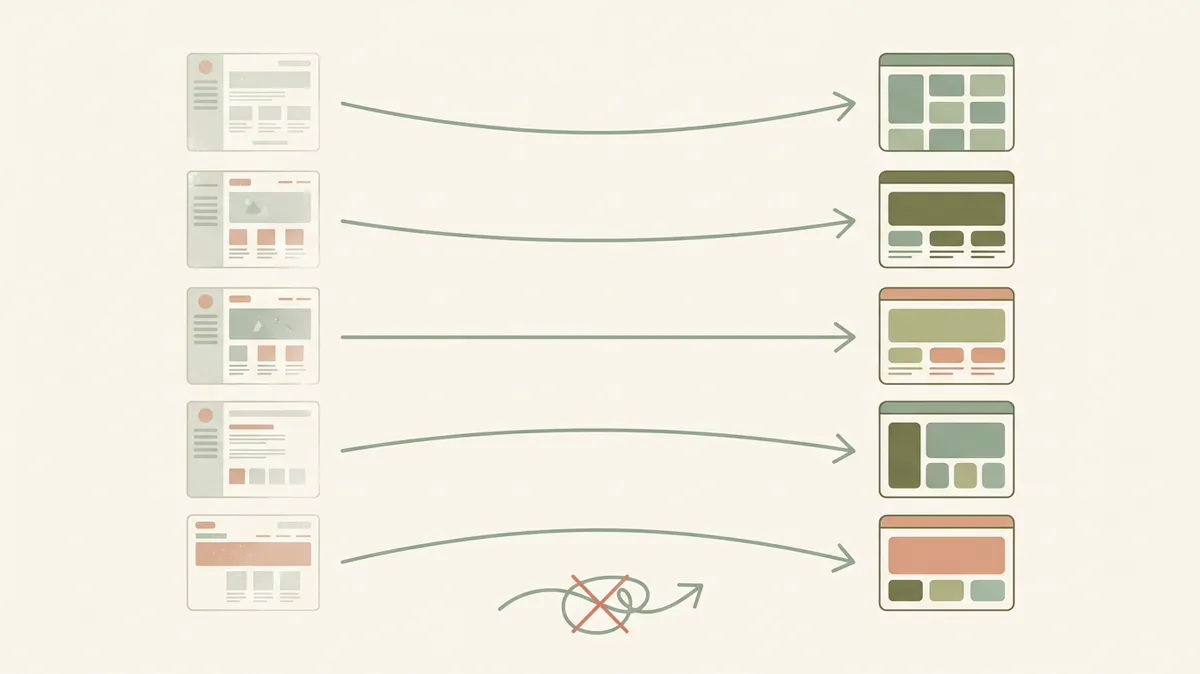
Four steps for a move that keeps your traffic
1. List every old address
Collect the pages people and Google still use: the old XML sitemap, the pages report in Search Console, the landing pages in your analytics, and any page other websites link to. Old blog posts and product pages are the ones most often forgotten.
2. Pick the closest new page
Match each old page with the new page that answers the same need. Google warns that sending many old addresses to one unrelated page, such as the home page, may be treated as a soft 404. Merging several old pages into one new page that covers them is fine.
3. Generate, upload, test
Paste the list above, fix what the checks flag, and copy the rules for your server or host. After uploading, open a handful of old addresses, including one with ?utm_source=test on the end, and confirm each lands on the right page in one step.
4. Clean up after the move
Google's site-move guide says to update your own internal links to the new addresses, give each new page a self-referencing canonical tag, submit the new sitemap in Search Console, and keep the redirects for as long as possible, generally at least a year. For a domain change it also covers the Change of Address tool.
Permanent or temporary: how Google reads each redirect
| Type | What Google treats it as | Use it for |
|---|---|---|
301, 308 | Permanent | A page has moved for good: redesigns, new addresses, new domain. |
302, 303, 307 | Temporary | A short-term change, such as a page down for maintenance. |
Instant meta refresh | Permanent | Only when you cannot set server redirects. A delayed refresh counts as temporary. |
| JavaScript redirect | Permanent, if Google sees it | Last resort. Google says it may never see it if rendering the page fails. |
What each platform does differently
The same list behaves differently on each host. These are the details that catch people out, from each platform's own documentation:
| Platform | Where the rules go | If you leave out the code | Worth knowing |
|---|---|---|---|
| Cloudflare Pages | _redirects file in the build output folder | 302 (temporary) | Up to 2,000 fixed and 100 wildcard redirects, 1,000 characters per line. The top rule that matches wins. Cannot match on query strings. Does not apply to routes handled by Pages Functions. |
| Netlify | _redirects file in the publish folder | 301 | The first matching rule wins. Paths are case-sensitive and special characters must be URL-encoded. By default a rule does not override a file that still exists at the old path; add ! after the code to force it. |
| Vercel | redirects in vercel.json | 308 (permanent defaults to true) | Up to 2,048 redirects in the file; Vercel's bulk redirects handle more. The source ignores query strings. |
| Apache | .htaccess or server config | 302 for Redirect | Redirect /blog also catches /blog/any-post and adds the rest to the new address, which is why this tool writes exact RedirectMatch rules instead. |
| Nginx | Inside the old site's server block | return URL; alone gives 302 | return takes 301, 302, 303, 307 or 308. 308 needs Nginx 1.13.0 or newer. |
| WordPress, Redirection plugin | Tools → Redirection → Import | Set in the file | CSV columns: source, target, regex (0 or 1), code. Only redirect codes 301 to 307 are imported. |
Method and sources
Google rules, all checked 2026-11-04: Redirects and Google Search (which codes count as permanent or temporary, meta refresh and JavaScript redirects) and Site moves with URL changes (keep redirects at least a year, do not send many old addresses to an unrelated page such as the home page, soft 404, Googlebot follows up to 10 hops but redirect straight to the final page, keep any chain under 5 and ideally 3, update internal links, canonical tags and sitemaps).
Platform rules, checked 2026-11-04: Cloudflare Pages redirects, Netlify redirects, Vercel's vercel.json reference (updated 2026-08-14) and configuration redirects limits (updated 2026-08-11), Apache mod_alias, the Nginx rewrite module, and the Redirection plugin's import guide.
Choices we made: the home-page warning appears when at least 3 lines and at least a fifth of the map point at /; that threshold is ours, not Google's. Old addresses with a query string (?id=12) or a wildcard are left out of the files, because most of these platforms cannot match them in a simple rule; write those by hand. The Nginx rules add $is_args$args so tracking tags such as ?utm_source survive the redirect, and the Apache and Nginx rules match the decoded address, while the _redirects and Vercel files use the percent-encoded form. With the slash option on, the _redirects, Vercel and WordPress files get two lines per address, one with and one without the end slash.
Every server setup is different. Test the rules on a staging copy or with a few addresses before relying on them, and keep a copy of your old file so you can roll back.
Redirect questions
Google treats both as permanent redirects. 301 is the one every server and plugin supports, so it is the default here. Vercel uses 308 when you mark a redirect as permanent.
Google advises against it. Sending many old addresses to one unrelated page such as the home page may be treated as a soft 404. Point each old page at the closest new page. Merging several old pages into one new page that covers them is fine.
Google says to keep them for as long as possible, and generally at least one year.
A chain is when page A redirects to B, and B redirects to C. Google can follow up to 10 hops but advises redirecting straight to the final page. Chains are also slower for visitors. The tool finds them and can point each one at the final page.
No. Browsers never send the part after # to the server, so a server redirect cannot see it. Redirect the page address without the # part.
No. Everything runs in your browser. The list is kept on this device only, so you can come back to it.
A new site should keep
the traffic the old one earned.
Media87 builds business websites from AED 1,800 and SEO from $500 a month. Before you budget, read the website cost guide for Dubai, and check the new site's crawl rules with the robots.txt tester.
See website design in Dubai