
Answer customer questions and collect enquiries with ChatZen.
ChatZen uses approved business information to answer common questions, collect enquiry details and help visitors book or reach your team across supported channels.
Scripted example, not an interactive booking. Discuss a real setup.
Start with the conversations you actually need.
A useful chatbot needs approved answers, a defined next step and someone responsible when the answer is uncertain.
- Business knowledge
- Service descriptions, FAQs, approved prices and policies. Decide which source takes priority when information conflicts.
- Enquiry details
- Agree what to ask, which fields are necessary and where the enquiry should arrive. A captured lead still needs a person to follow up.
- Bookings and integrations
- Confirm the exact calendar, CRM and messaging connections for your account before choosing the setup.
- Human escalation
- Define the questions that should go to your team, the fallback contact method and who receives the context.
- Review and maintenance
- Test unclear questions and outdated information as well as the happy path. Assign an owner to update the approved knowledge.
Set up, review and improve the chatbot.
Six stages from business information and conversation rules to launch and review.
Smart Lead Capture
Collect contact and enquiry details through a guided conversation.
Booking requests
Show approved calendar availability and let suitable visitors request a meeting.
Conversation Intelligence
Review conversation patterns and update information or rules when answers need improvement.
Supported channel setup
Confirm supported website and messaging channels, account access and how approved knowledge is maintained for your setup.
Continuous Optimization
Review conversations, failed answers and enquiry activity, then improve the content and rules.
Launch & Ongoing Support
After launch, monitor answers and update the chatbot when services, policies or common questions change.
Useful conversations and clearer next steps.
Tools for answering questions, collecting lead details, supporting bookings and reviewing conversations.

Answers to routine questions
Visitors can ask approved questions at any time, while complex or sensitive enquiries can be transferred to a person.

Support more enquiries and bookings
Guide interested visitors to a suitable service, booking option or contact method.
Reduce Workload
Handle common questions, basic lead collection and booking steps so staff spend less time on repetitive replies.

Natural, approved responses
Use approved information and tone guidance to produce clear, natural responses.
Actionable Insights
Review conversation topics, enquiry activity and failed answers without placing personal data in marketing reports.

Multi-Platform Integration
Website, WhatsApp, Facebook Messenger, Instagram: a consistent experience wherever your audience talks to you.
Improve from reviewed conversations
Improve the chatbot through reviewed conversations, updated information and tested rule changes.
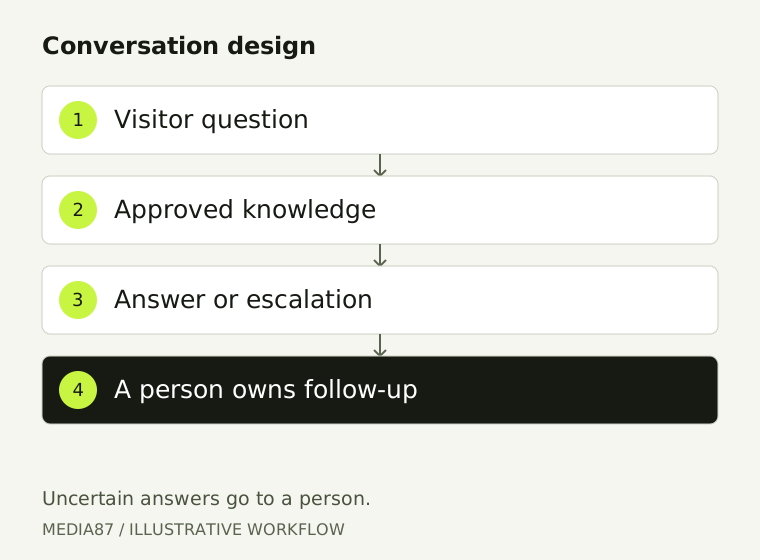
A conversation system with human ownership.
Knowledge, guardrails, escalation and review are treated as one connected workflow.
Discuss ChatZenCustom-Built For You
Every chatbot is designed around your goals, audience and brand voice, aligned to your exact customer experience.
ChatZen is designed to make useful customer conversations easier to manage.
Media87 plans the information, conversation rules, integrations and review process around your business needs.
Custom Chatbots
Designed around your unique goals, audience and brand voice, natural conversations that fit your customer experience.
Learning-Powered AI
Language tools produce responses from approved information, while people review accuracy and update the rules.
Review and improve results
After setup, review conversation quality and enquiry activity to decide what should change.
Answer questions.
Collect enquiries.
Discuss your channels, common customer questions and booking or lead-handling needs.
Get Your Custom QuoteChoose an assistant or a connected workflow.
The useful first version depends on what must happen after the answer.
- An approved-answer assistant
- Use stable service information and FAQs to answer common questions, collect enquiry details and offer a contact route. Name the owner of the knowledge updates.
- A connected customer workflow
- Where supported connections are required, specify the calendar, CRM or destination and its permissions. Do not treat an enquiry as a confirmed booking unless the receiving system confirms it.
- Before you launch
- Test unknown questions, changed information, unavailable integrations and requests for a person. Agree recurring review and support responsibilities.
Read the chatbot setup and cost checklist to compare preparation, subscriptions, usage and integrations. For work primarily between business systems, review workflow automation.
Media87 publishes the AI chatbot price at AED 129 per month (about $35) on the pricing page. Scope is confirmed in writing before setup.